


Поговорімо про питання сонячної енергії
Відповіді на всі ваші питання про сонячну енергію
Покладайтеся на Solplanet
Чи здається щось трохи незрозумілим?
Знайдіть відповіді на поширені запитання — прямо тут
Наші глобальні команди зібрали список найпоширеніших запитань про сонячну енергію, які вони отримують від клієнтів, і ми рекомендуємо скористатися цим списком, щоб знайти відповіді на незначні запитання щодо Solplanet або вашого нового продукту Solplanet. Переглядайте всі запитання та відповіді в одному списку або використовуйте кнопки для сортування за темами.
Якщо ви не знайшли свого запитання у списку або не отримали відповідь, яка вас задовольняє, будь ласка, зверніться до місцевої команди Solplanet для отримання допомоги.
Ви можете швидко та легко подовжити гарантію на свій продукт Solplanet за допомогою цього порталу
Ви можете перевірити статус гарантії через цей портал. Зверніть увагу, що вам знадобиться серійний номер вашого конкретного продукту.
Дата початку гарантії для будь-якого інвертора Solplanet визначається як більш рання з двох дат:
Або дата першого встановлення;
Або шість місяців після дати первинного відвантаження.
Для отримання додаткової інформації, будь ласка, перегляньте розділ гарантії на нашому вебсайті.
Усі наші інвертори за замовчуванням мають базові функції керування потужністю, оскільки вони зазвичай вимагаються місцевими правилами електромережі.
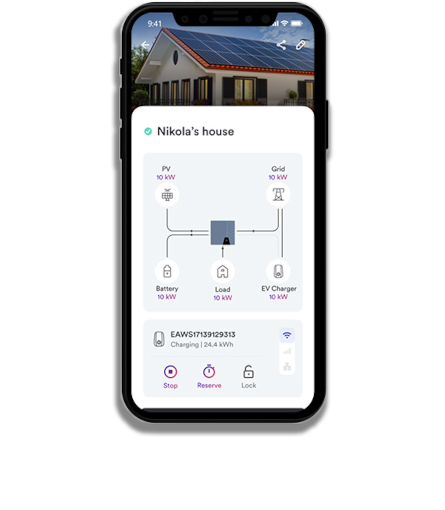
Ви можете розширити функції керування потужністю за допомогою одного з наших реєстраторів даних. Після встановлення реєстратора даних ви можете увійти до нашого застосунку, вебсервера або хмарного сервісу, щоб налаштувати значення активної/реактивної потужності, фіксований коефіцієнт потужності або криву реактивної потужності для керування потужністю.
Можливо надсилати команди інвертору та керувати вихідною потужністю в режимі реального часу за допомогою стороннього пристрою керування, такого як приймач керування радіосигналом (RRCR) або пристрій реагування на попит (DRED), підключений до AiComm.
Для отримання детальнішої інформації зверніться до посібника користувача для вашого конкретного інвертора або зв’яжіться з місцевою службою технічної підтримки.
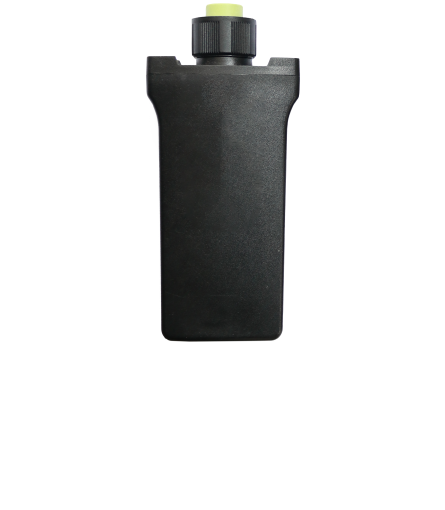
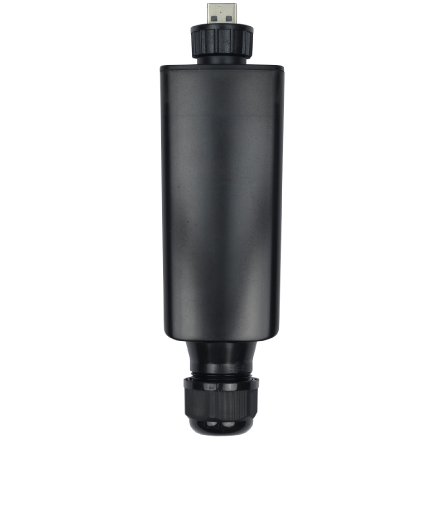
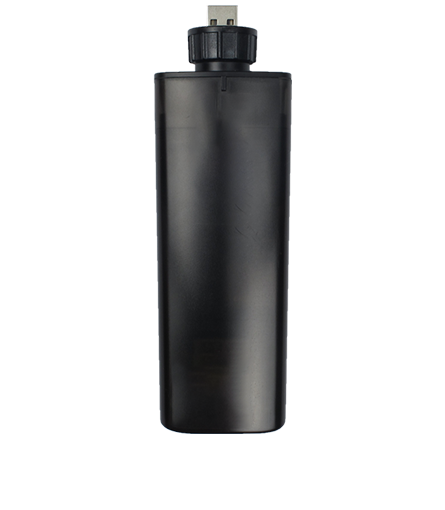
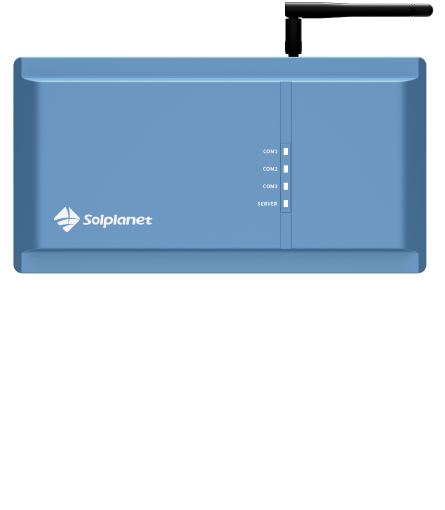
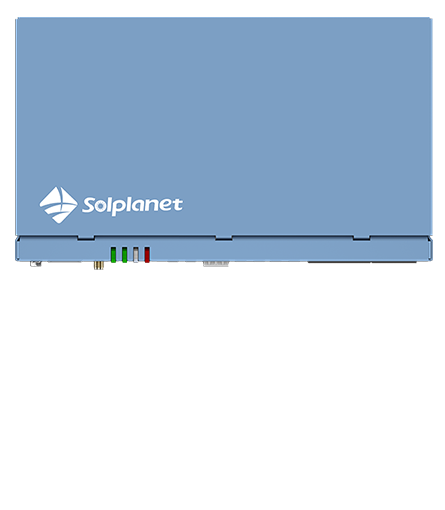
Solplanet пропонує кілька рішень для збору даних, які підходять для різних типів PV-установок.
Якщо у вас домашня установка, наш Wi-Fi модуль може бути ідеальним варіантом. Він встановлюється знизу корпусу інвертора за допомогою швидкого підключення plug-in і підтримує один інвертор.
Якщо ваша установка більша, наприклад комерційна або промислова, найкращим варіантом може бути AiComm. Він також встановлюється зовні корпусу інвертора, але підключається до маршрутизатора через Wi-Fi та може підтримувати до п’яти інверторів.
Зверніться до місцевої команди Solplanet для отримання допомоги у виборі відповідного реєстратора даних.
Так, інвертори Solplanet підтримують сторонні реєстратори даних, такі як Solarlog, Meteocontrol і Solarman. Для великих PV-установок ми можемо надати наш протокол стороннім компаніям для розробки власних індивідуальних рішень моніторингу.
Ні, AISWEI Cloud не збирає та не зберігає погодні дані, такі як рівень сонячного випромінювання, температура або швидкість вітру. Якщо вам потрібно відстежувати погодні умови для підтримки роботи PV-установки, ви можете придбати незалежну метеостанцію або скористатися стороннім рішенням (наприклад, Solarlog, Meteocontrol або Solarman).
Так, можна. Однак через вплив погодних умов AiComm повинен бути встановлений у корпусі з класом захисту не нижче IP65.
Ні, наші інвертори не підтримують локальний моніторинг. Наші рішення для моніторингу (GPRS-модуль, WiFi-модуль або AiComm) передають дані інвертора до Solplanet Cloud, що вимагає стабільного та надійного підключення до Інтернету. За потреби ми можемо надати нашим клієнтам протокол зв’язку, щоб вони могли розробити власні системи моніторингу.
Ваша конфіденційність є одним із наших головних пріоритетів, і ми ставимося до цього дуже серйозно. Після того як ви надасте нам дозвіл на збір ваших даних, вони зберігатимуться відповідно до законів про захист даних у вашій країні.
Якщо у вас є питання щодо того, як ми збираємо та зберігаємо ваші дані, будь ласка, зверніться до місцевої команди Solplanet.
Ви можете знайти інструкцію з встановлення для AISWEI Cloud тут.
Застосунок AISWEI Cloud доступний для платформ iOS та Android. Ви можете завантажити його з App Store або Google Play.
Ці помилки є постійними несправностями. Щоб спробувати їх усунути, від’єднайте інвертор від електромережі та PV-масиву. Через 3 хвилини знову підключіть інвертор. Якщо помилка продовжує відображатися, зверніться зверніться до місцевої служби технічної підтримки.
Ця несправність пов’язана з розподілом електроенергії. Якщо ви бачите цей код помилки, відкрийте корпус інвертора та перевірте систему розподілу живлення, щоб з’ясувати, чи не пошкоджено запобіжник.
This fault relates to power distribution. If you see this error code, open the inverter box and check the power distribution to see if the signal cables for the PV1-SPD and PV2-SPD surge protectors have been disconnected. If they are disconnected, reconnect them. If the fault persists, please contact your local technical support team for assistance.
Ця несправність пов’язана з максимальною вхідною напругою постійного струму інвертора. Перевірте напругу холостого ходу стрінгів і переконайтеся, що вона нижча за максимальну вхідну DC-напругу інвертора. Якщо вхідна напруга знаходиться в допустимому діапазоні, а помилка не зникає, можливо, пошкоджене внутрішнє коло. У такому випадку зверніться до місцевої служби технічної підтримки.
Від’єднайте інвертор від електромережі та PV-масиву, зачекайте 3 хвилини, а потім підключіть його знову. Якщо помилка не зникає, зверніться до місцевої служби технічної підтримки.
Ця несправність пов’язана з максимальною робочою температурою інвертора. Якщо з’являється цей код, перевірте, чи не заблокований потік повітря до радіатора охолодження, а також переконайтеся, що температура навколишнього середовища навколо інвертора не є занадто високою.
Переконайтеся, що PV-масив заземлений і що опір ізоляції перевищує 1МОм. Перевірте надійність заземлення інвертора. Також виконайте візуальний огляд усіх PV-кабелів і модулів. Якщо помилка не зникає, зверніться до місцевої служби технічної підтримки.
Перевірте напругу холостого ходу стрінгів і переконайтеся, що вона не перевищує максимальну вхідну DC-напругу інвертора. Якщо вхідна напруга знаходиться в допустимому діапазоні, але помилка не зникає, зверніться до місцевої служби технічної підтримки.
Якщо з’являється ця помилка, переконайтеся, що заземлення інвертора справне та надійне. Проведіть візуальний огляд усіх PV-кабелів і модулів на наявність пошкоджень або дефектів. Якщо нічого не виявлено, але помилка не зникає, зверніться до місцевої служби технічної підтримки.
Звичайно! Ми виробляємо ефективні, надійні та зручні у використанні однофазні й трифазні гібридні інвертори, призначені для сонячних установок у житловому, комерційному та промисловому секторі. Ознайомтеся з нашим повним каталогом продукції тут.
Захист від перенапруг є важливим елементом у конструкції інверторів, що допомагає захищати обладнання від стрибків і імпульсів напруги. Конкретні характеристики захисту від перенапруг в інверторах Solplanet залежать від моделі та технічних характеристик продукту.
Рекомендуємо звернутися до технічної документації та посібника користувача відповідної моделі або безпосередньо зв’язатися з Solplanet, щоб отримати точну та детальну інформацію щодо можливостей захисту від перенапруг.
Інвертори Solplanet добре працюють за високих температур навколишнього середовища. Вони автоматично зменшують вихідну потужність, щоб захиститися від перегріву. У наших детальних інструкціях з монтажу та експлуатації наведені конкретні криві зниження потужності для кожної моделі інвертора.
Так, мають. Усі наші інвертори підтримують функцію zero export після її налаштування в нашому зручному мобільному застосунку. Ви можете отримати доступ до функції контролю експорту через розумний лічильник, підключений безпосередньо до інвертора після активації цієї функції в застосунку.
Детальнішу інформацію можна знайти в наших посібниках користувача або звернувшись до нашого сервісного відділу.
Так, можна. Потужність PV-масиву зазвичай може бути перевищена до 150% залежно від місця встановлення та рівня сонячного випромінювання. Однак слід пам’ятати, що надмірне перевищення потужності PV-масиву може призвести до зайвих витрат і негативно вплинути на надійність інвертора. Якщо у вас є запитання щодо перевищення потужності PV-масиву, будь ласка, зверніться до місцевого офісу Solplanet.
Інвертори Solplanet можуть працювати з тонкоплівковими сонячними панелями, але така конфігурація зустрічається досить рідко. Тонкоплівкові сонячні панелі зазвичай краще підходять для портативних пристроїв. Інвертори Solplanet є стаціонарними та призначені для традиційних PV-масивів у житлових, комерційних і промислових установках.
Однак деякі тонкоплівкові панелі, представлені на ринку, не потребують кріплення до поверхні, і в таких випадках інвертор Solplanet працюватиме коректно.
Ні, не можна. Інвертори Solplanet розроблені як мережеві (on-grid) інвертори. Сторона AC інвертора повинна бути постійно підключена до електромережі. Налаштувань для роботи інвертора в режимі «off-grid» або «island» не передбачено. Solplanet не може гарантувати коректну роботу в автономних системах і не надає гарантії на будь-які пошкодження інвертора(ів) або PV-установки, спричинені використанням в off-grid системах.
Solplanet виробляє лише неізольовані (безтрансформаторні) інвертори. Безтрансформаторні інвертори є найпоширенішими на житловому та комерційному ринку, оскільки зазвичай мають найвищу ефективність, нижчу вартість, менші розміри та меншу вагу порівняно з ізольованими (трансформаторними) інверторами.
Так, усі інвертори Solplanet оснащені DC-вимикачем для плавного та безперебійного розподілу електроенергії.
Найпростіше правило — потужність інвертора має відповідати потужності вашого PV-масиву. Наприклад, якщо у вас PV-масив потужністю 3000 Вт, вам потрібен інвертор щонайменше на 3000 Вт. Також слід враховувати такі фактори, як номінальна потужність PV-масиву, максимальний розмір установки та навіть ваше географічне розташування. Але не хвилюйтеся — це не так складно, як здається.
Зверніться до нашої команди технічної підтримки, щоб отримати допомогу у визначенні, який інвертор Solplanet найкраще підходить саме для вас.
Детальні інструкції з монтажу для кожного інвертора можна знайти на сторінці відповідного продукту. Також інструкції доступні в розділі «Завантаження» у зоні для інсталяторів на нашому вебсайті.
If you see this error code, there are a few things you will need to check. First, verify that the fuse and the triggering of the circuit breaker in the distribution box are functioning properly. Second, check the grid voltage and grid usability. Third, check the AC cable and make sure the inverter is connected to the grid. If the fault persists after you’ve checked these three things, please contact your local technical support team for assistance.
Перевірте напругу мережі в точці підключення інвертора. Якщо напруга виходить за межі допустимого діапазону локальної електромережі, скоригуйте значення контрольованих робочих параметрів, але лише після повідомлення місцевого оператора електромережі. Якщо напруга знаходиться в допустимому діапазоні, а помилка не зникає, зверніться до місцевої служби технічної підтримки.
Часті коливання напруги можуть спричиняти цю помилку, тому перевірте частоту мережі та зверніть увагу на частоту значних коливань. Якщо значні коливання трапляються часто, спробуйте змінити робочі параметри після повідомлення місцевого оператора мережі.
Ця несправність пов’язана з максимальною вхідною DC-напругою інвертора. Перевірте напругу холостого ходу стрінгів і переконайтеся, що вона нижча за максимальну вхідну DC-напругу інвертора. Якщо вхідна напруга знаходиться в допустимому діапазоні, але помилка не зникає, можливо, пошкоджене внутрішнє коло. У такому випадку зверніться до місцевої служби технічної підтримки.
Сонце знаходиться за мільйони кілометрів
Solplanet завжди
поруч із вами
Вдень чи вночі звертайтеся до місцевої команди Solplanet для швидкої допомоги з терміновими або складними питаннями. Ми завжди готові допомогти, щоб ви отримали необхідну підтримку.